- 01The Multi-Color Trap: Why 200g of Purge Waste Turns Profitable Prints into Losses
- 02Anatomy of AMS Waste: Flushed Filament ('Poop') vs. Prime Tower vs. Infill Flushes
- 03How to Calibrate Flush Multipliers to Cut Waste by Up to 45%
- 04The Industrial Accounting Formula to Bill AMS Waste to the Customer
- 05Frequently Asked Questions (FAQ)
The Multi-Color Trap: Why 200g of Purge Waste Turns Profitable Prints into Losses
Rule of thumb: In multi-color prints, purge waste and the prime tower regularly weigh 2x to 3x more than the model itself. An 85g print with 400 color swaps wastes over 220g of purge ($5.40 extra). If you only price the 85g model, you lose $4.99 per unit out of pocket.
Single-color prints consume roughly what the model weighs. But on automated multi-color systems like the Bambu Lab AMS, every single color change cuts filament, retracts 80cm into the hub, loads the new color, purges the nozzle, and wipes the tip.
With 300 to 500 swaps, that little purge "poop" and prime tower easily pile up to 200g–300g of wasted filament and 7+ hours of idle swapping. If you quote just the model weight on your scale, your workshop is literally paying for the customer's plastic.
| Cost Component | Naive Quoting (Finished Weight Only) | InfillQuote Multi-Color Engine | Hidden Variance / Impact |
|---|---|---|---|
| Finished Part Net Weight | 85 g (4 Colors PLA) | 85 g (4 Colors PLA) | Identical physical part geometry |
| Flushed Poop & Tower Waste | $0.00 (Ignored 0g) | 225 g ($5.40 at $24/kg) | 190g purge poop + 35g prime tower discarded |
| Total Spool Material Consumed | 85 g ($2.04) | 310 g ($7.44) | +$5.40 (+265% raw material cost spike!) |
| Toolhead Swaps & Extra Time | 420 Swaps (0h accounted) | 420 Swaps (+7.7 hours idle swapping) | Swap overhead exceeds active extrusion time |
| Total Print Job Duration | 3.5 Hours (Pure Model Time) | 11.2 Hours (3.5h print + 7.7h swapping) | 7.7 hours of unbilled machine capacity |
| Electricity (145W @ $0.16/kWh) | $0.08 (3.5h) | $0.26 (11.2h) | Energy consumed during prolonged heat bed hold |
| Depreciation & Nozzle Wear | $0.88 ($0.25/h) | $2.80 ($0.25/h) | Hardware fatigue on cutter blade & extruder gears |
| Failure Risk Multiplier (10%) | $0.00 (Ignored) | $1.05 | High swap count raises filament retraction fail risk |
| Total Production Cost Base | $3.00 | $11.55 | Real cost is 3.85x higher than naive estimation! |
| Quoted Customer Price | $9.00 (Naive 3x $3.00) | $24.50 (Target 35% Net Margin) | Real market value for intricate multicolor art |
| Channel Commission (16% Gross) | $1.44 | $3.92 | Platform transaction deduction on gross invoice |
| Net In-Pocket Cash Flow | +$4.56 (Fictional) -> -$4.99 (REAL DEFICIT) | +$9.03 (Verified Net Profit) | Naive seller loses $4.99 out of pocket per unit! |
| Effective Real Margin | -55.4% (Severe Loss) | +36.8% (Target Protected) | Solvent studio operation vs. unviable hobby subsidy |
Table: Financial Audit: Naive Quoting vs. Real InfillQuote AMS Production Engine (85g Multi-Color Model, 420 Swaps)
Note: Calibrated for an 85g 4-color figurine with 420 toolhead filament swaps on Bambu Lab P1S/X1C using standard PLA spools ($24/kg net).
Anatomy of AMS Waste: Flushed Filament ('Poop') vs. Prime Tower vs. Infill Flushes
Rule of thumb: AMS waste goes to 3 places: the purge chute ("poop"), the prime tower, and model infill. The purge cleans out old molten pigment, while the prime tower rebuilds nozzle pressure so outer walls stay crisp and clean.
When the AMS swaps spools, the toolhead visits the rear chute to eject 30mm³ to 50mm³ of molten color transition. Then it wipes across the prime tower to equalize pressure advance and strip stray strings before printing cosmetic perimeters.
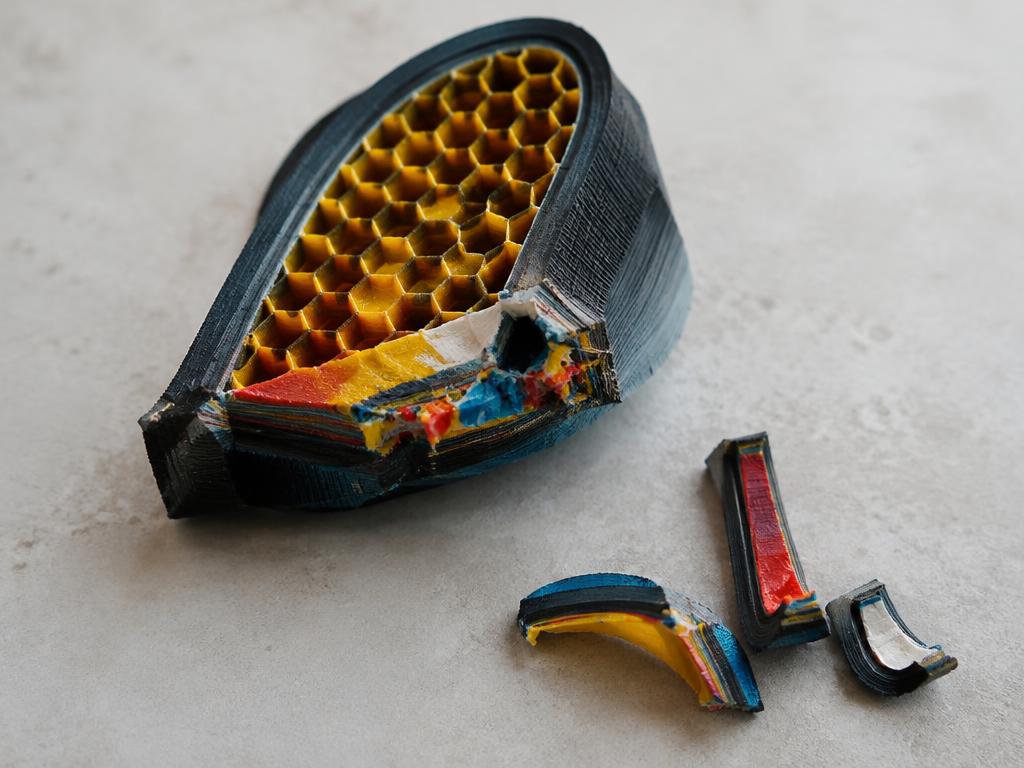
Slicers can also route purge into interior infill or support structures. This saves up to 25% of chute waste, provided you have at least 3 outer perimeters (1.2mm) to prevent dark infill purge from ghosting through light shells.
FXTechnical Breakdown · How InfillQuote calculates this behind the scenes (View formula)▼
M_{total} (g) = M_{model} + M_{support} + M_{tower} + \sum_{i=1}^{N_{swaps}} [V_{flush, i} (mm^3) \times \rho (g/mm^3)]Where V_flush,i is the transition purge volume between colors A and B, rho is polymer density (1.24 g/cm³ for PLA, 1.27 g/cm³ for PETG), and N_swaps is total filament changes across all layers.
How to Calibrate Flush Multipliers to Cut Waste by Up to 45%
Rule of thumb: Slicers default to a conservative 1.0 flush multiplier. Dropping it to 0.60–0.65 cuts purge poop by 35% without color bleeding, saving $3 to $5 on every multi-color plate.
Factory slicer defaults prepare for the extreme worst case: switching from deep black to pure white. But color transitions are asymmetric: going from white to black requires only 120mm³ of flush, whereas black to white takes 380mm³.
Open "Flushing Volumes" in Bambu Studio or OrcaSlicer, dial the global multiplier down to 0.60–0.65, and tune light-to-dark pairs down manually. A quick 10-layer test print confirms spotless color purity while saving spools of filament.
- High-Risk Transitions (Keep Flush at 350-450 mm³): Carbon Black to Pure White, Crimson Red to Canary Yellow, Deep Navy to Translucent / Skin Tones.
- Low-Risk Transitions (Reduce to 110-150 mm³): White to Black, Yellow to Forest Green, Light Silver to Charcoal.
- Prime Tower Optimization: Reduce prime tower width from the default 35mm down to 20-25mm and enable prime volume reduction for upper layers once color changes terminate.
- Perimeter Defense: When utilizing "Flush into Infill", always enforce a minimum of 3 to 4 outer wall loops (1.2mm to 1.6mm shell thickness) to prevent dark infill purge from showing through external skins.
The Industrial Accounting Formula to Bill AMS Waste to the Customer
Rule of thumb: Never treat purge as workshop scrap—bill 100% of consumed material and machine swap time to the quote. Add $10–$20 flat setup, and print in batches: 4 units on one plate cut purge waste per unit by 60%.
Just like CNC chips or injection sprues, multi-color purge is raw material consumed to deliver the client's specification. You purchased the full spool; giving away 200g of plastic for free destroys your net profit.
Remember that 400 swaps also tie up 7+ hours of machine runtime and heated bed power. Always charge the full job time (print time plus swap cycles) and use reverse markup so platform fees never eat your margin.
FXTechnical Breakdown · How InfillQuote calculates this behind the scenes (View formula)▼
Price = \frac{[ (M_{model} + M_{waste}) \times C_{filament} ] + [ (T_{print} + N_{swaps} \times t_{swap}) \times R_{machine} ] + Labor + FixedFees}{1 - (ChannelFee\% / 100) - (TargetMargin\% / 100)}Calculates complete material consumption including purge, adds machine runtime overhead per filament swap (typically 1.25 min/swap), and applies reverse markup to guarantee net margin.
- Professional Line-Item Invoicing: In commercial client proposals, itemize 'Engineered Multi-Material Process Consumables' rather than 'Waste' to emphasize high-spec production standards.
- Minimum Multi-Color Setup Charge: Establish a flat $10 to $25 multi-material setup fee to cover filament spool loading, AMS slot desiccant monitoring, and PTFE alignment.
- Batching Multi-Color Units: Print multi-color models in batches of 4 to 8 units per plate. Because the prime tower and layer purges are shared across all identical parts on the bed, the purge weight per individual unit plummets by up to 75%!
Frequently Asked Questions
How much extra print time does Bambu Lab AMS add per color change?
On Bambu Lab P1P, P1S, and X1C printers, each filament swap takes between 60 and 90 seconds. This sequence involves cutting the filament with the mechanical toolhead lever, retracting the strand through the PTFE tube back into the AMS, feeding the new filament forward to the extruder, heating/purging the nozzle chamber over the poop chute, wiping on the silicone nozzle wiper, and priming on the wipe tower. For a model with 400 color swaps, the AMS adds 7 to 10 hours of machine time purely for swapping.
Does the Bambu Lab AMS accelerate nozzle and extruder wear?
Yes. Multi-color printing increases mechanical wear on three critical components: (1) The filament cutter blade, which engages on every single swap (400 swaps = 400 blade cuts, requiring replacement every 3,000–5,000 swaps); (2) Extruder drive gears and AMS feeder funnels, which experience repeated loading friction; and (3) PTFE guide tubes, which suffer abrasive grooving over time, particularly when using abrasive filaments like Matte, Glow-in-the-Dark, or Carbon Fiber.
Is it worth enabling "Flush into objects" or "Flush into infill"?
Enabling "Flush into infill" can save 15% to 30% of total purge waste, but requires strict precautions. If your model has fewer than 3 or 4 outer wall loops (less than 1.2mm shell thickness), dark purged filament inside the infill will visually show through lighter exterior walls (known as ghosting or bleed-through). Never flush into infill when printing translucent materials or high-contrast white outer shells. For non-cosmetic or dark-shelled parts, it is an excellent material saver.